

Baitong Kexin
Contact

ID.4 Vehicle Diagnosis Simulation Software — 30-Node License

Investigate ID.4-based electrical faults through virtual connectors, charging scenarios and diagnostic records in a task-based software package.

ID.4 Vehicle Diagnosis Simulation Software — 30-Node License

ID.4 Vehicle Diagnosis Simulation Software — 30-Node License
Listed License Configuration
30 nodes
Architecture
Client/server desktop software
Modes
Demonstration, teaching and assessment
Task records
Virtual measurements, worksheets, timing and scores
Request This Software Configuration
On This Page Overview

Product Overview

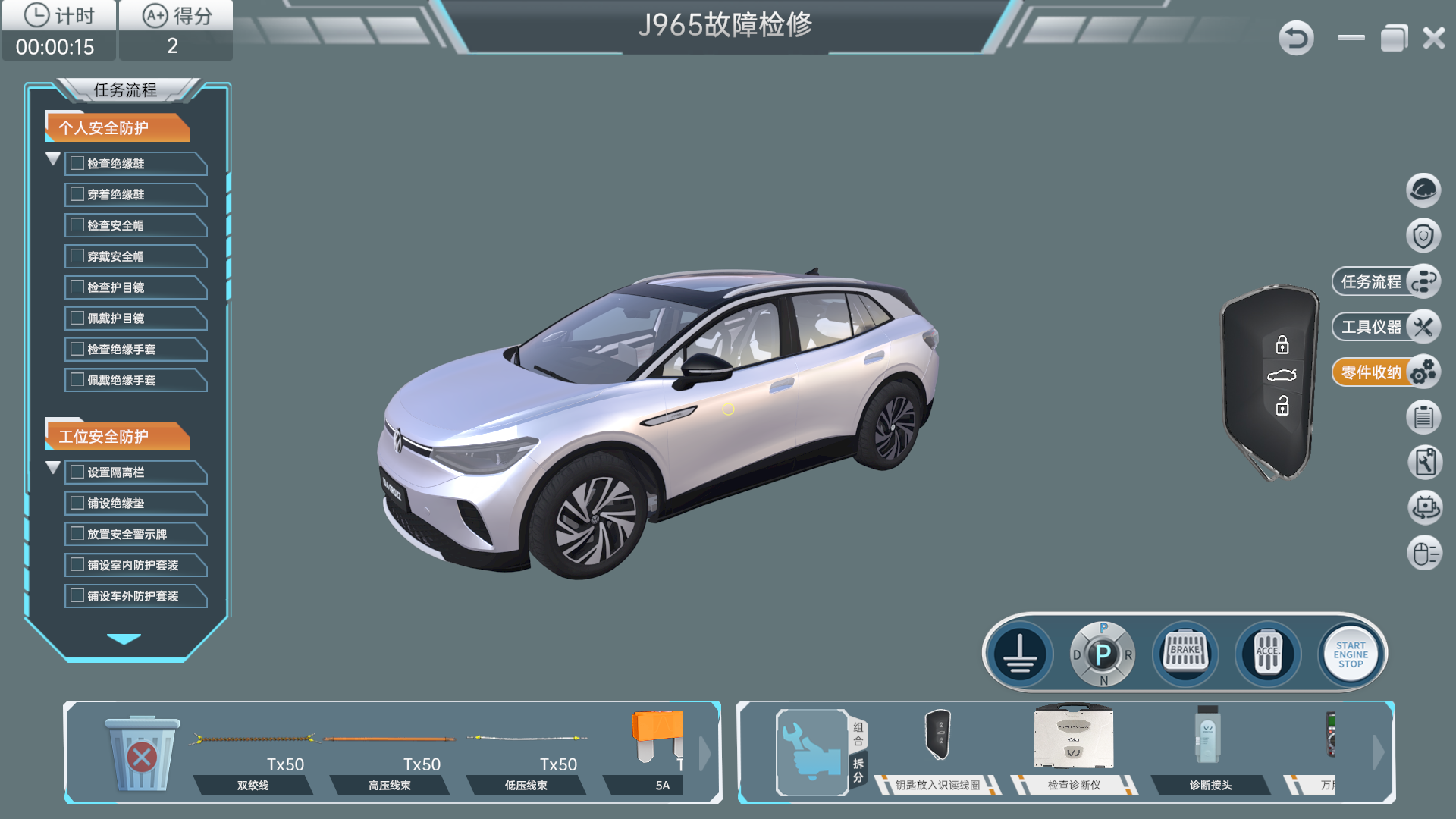
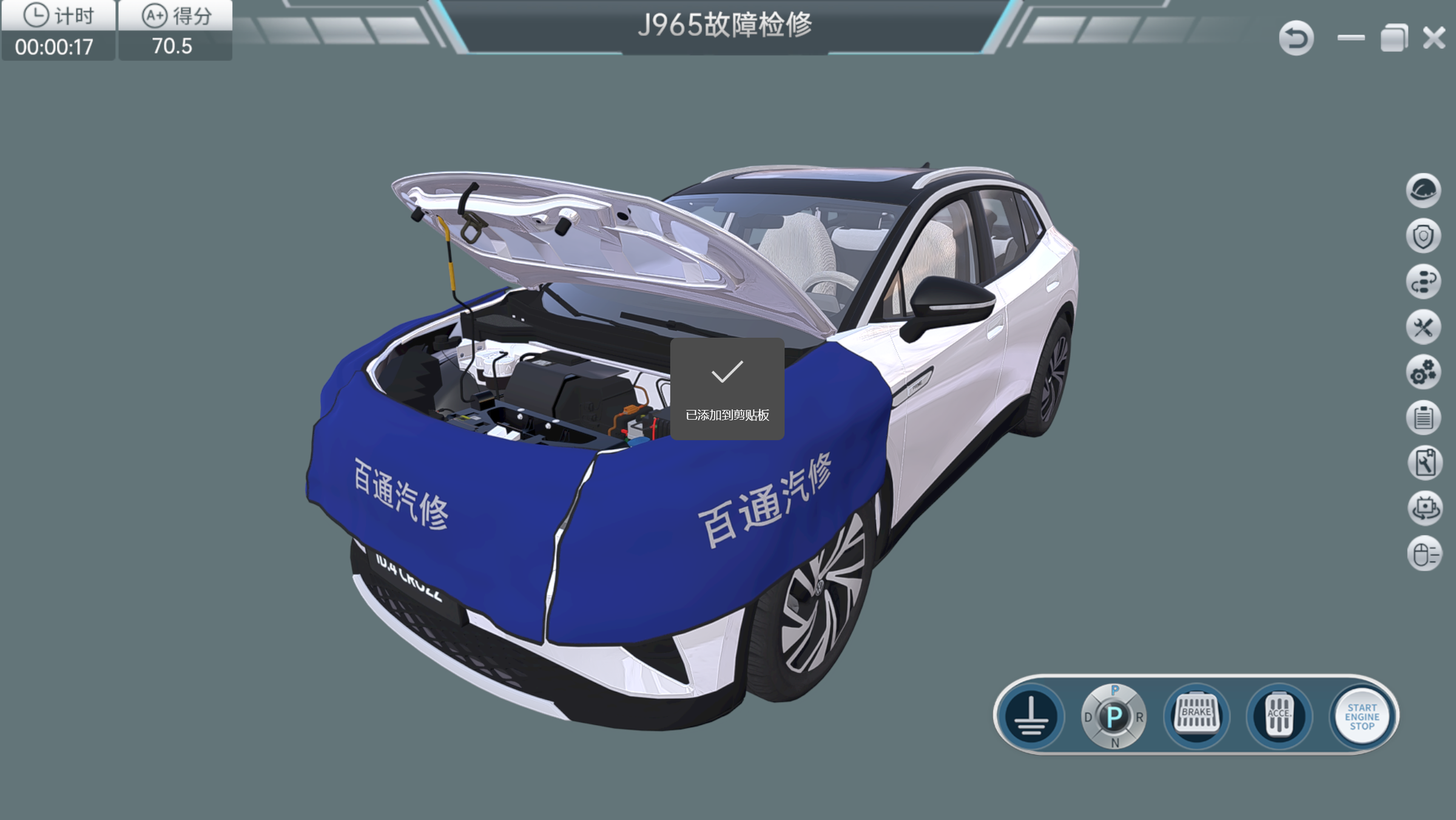
This 30-node Baitongkexin ID.4 simulation configuration provides task-based practice in vehicle electrical diagnosis. Learners inspect virtual connectors, fuses and selected control circuits, then compare simulated measurements with the vehicle’s displayed symptoms. Demonstration, teaching and assessment modes support progression from guided familiarization to independent fault reasoning. Instructors can review the task record to discuss how a learner used circuit evidence to reach a diagnostic conclusion. A separate one-set edition is available; installation and licensing scope follow the selected edition.

Software Functions

Connector and Circuit Detail

Selected connector pin arrangements, fuse positions and circuit references support detailed virtual measurement tasks rather than diagnosis from symptoms alone.

Charging and Body-System Cases

The task scope includes charging connections, control-pilot and selected body-electrical functions. The exact controller and fault list is defined for the software version.

Records for Instructor Review

Reference materials, editable task sheets, virtual part replacement and simulation scores support a documented diagnosis and discussion of the result.

Teaching and Simulation Tasks

  1. Circuit investigation

    Learner Practice

    Inspect a selected virtual fuse or connector circuit

    Evidence for Review

    A measurement record linked to the diagram

  2. Charging diagnosis

    Learner Practice

    Analyze a simulated charging-connection or control-pilot case

    Evidence for Review

    A supported explanation of the displayed condition

  3. Task completion

    Learner Practice

    Carry out the assigned virtual repair and record the evidence

    Evidence for Review

    A task sheet and simulation result

Deployment and License Information

ID.4 Vehicle Diagnosis Simulation Software — 30-Node License — Deployment and License Information
ArchitectureClient/server desktop software
ModesDemonstration, teaching and assessment
Task recordsVirtual measurements, worksheets, timing and scores
Listed media narrationMandarin Chinese

Teaching Resources and Use

Software and Content

This configuration lists 30 nodes. Confirm the license arrangement and number of concurrent users with the supplier. The package includes the virtual environment, selected diagnostic cases, technical learning content and assessment functions. Confirm the software identifier, vehicle version, license, computers and any physical interface as separate scope items.
Configuration and Ordering

Listed License Configuration

30 nodes

Configuration and Procurement

Specify the intended ID.4 version, course topics, language and learner seats. Request actual module screenshots and an acceptance demonstration. Physical-vehicle synchronization requires a separately confirmed interface and supplied hardware. The ID.4 reference identifies the modeled architecture, not Volkswagen approval or authorized training.

Details for Your Inquiry

Share the intended ID.4 version, course topics, language and learner seats to review the software modules and demonstration scope.

Product Questions

Does the standard package control a real ID.4?

Physical integration must be separately specified. The virtual diagnostic functions alone do not establish real-vehicle control.

Does a simulation result certify a repair?

No. It records the configured virtual task. Real repairs require the vehicle procedure and appropriate practical verification.

Configuration Comparison

Compare ID.4 Software Configurations

Two separately documented software families model ID.4 diagnosis. Compare the family and listed edition before requesting a demonstration or license proposal.

Product PageSoftware FamilyListed Edition
ID.4 Vehicle Diagnosis Simulation Software — 1-Set ConfigurationVehicle Diagnosis Simulation1 software set
ID.4 Vehicle Diagnosis Simulation Software — 30-Node LicenseCurrent ConfigurationVehicle Diagnosis Simulation30 nodes
ID.4 Whole-Vehicle Fault Diagnosis Teaching Software — Standalone ConfigurationWhole-Vehicle Diagnosis Teaching1 standalone edition
ID.4 Whole-Vehicle Fault Diagnosis Teaching Software — 30-Node ConfigurationWhole-Vehicle Diagnosis Teaching30 nodes

A node count does not establish concurrent-user capacity. Confirm licensing, installation, administration, software version and included computers for the selected edition. Functions should be checked within each family rather than assumed identical across both families.

Continue Exploring

Compare the stated teaching roles below. Product connections, included accessories and software licenses are confirmed in the selected configuration.