
Use simulation to prepare a task that learners must still perform.
A virtual exercise becomes educationally useful when teachers can explain how it prepares a specific workshop activity and what evidence remains to be collected on the physical equipment.
This pathway is for automotive and NEV faculties connecting digital resources with existing or planned training stations. It follows a motor assembly and diagnosis example, while identifying how the same method can be adapted to battery and charging courses. The aim is a coherent teaching sequence rather than a separate computer activity that finishes when a screen reports a score.
Begin by choosing a practical task, its prerequisites and the equipment available to teach it. Then select a simulation that represents the relevant components and permitted operations. Differences between the simulated object and the workshop station should become explicit teaching points. If the two use different connection layouts or assembly conventions, teachers need a comparison sheet before asking students to transfer their learning.
BTKX offers campus client/server deployment and project-defined PC, VR, AR or XR formats. Start with a desktop classroom when it suits your selected software and teaching tasks. A headset or immersive display is an additional design decision requiring matched content, hardware and licenses.
Define the transfer of learning in observable terms.
Recognise and explain
Identify the represented motor components, their relationships and the purpose of each operation before beginning an assembly exercise.
Plan and justify
Explain a proposed sequence, identify the information still needed and distinguish software prompts from the physical equipment procedure.
Perform and document
Complete the authorised practical task under supervision and retain an individual record of the checks actually observed.
Compare and reflect
Describe a meaningful difference between virtual and physical work and explain how it affected a decision, measurement or interpretation.
These outcomes allow the faculty to assess the contribution of digital preparation without treating a completed animation as proof of physical workmanship. Entry requirements still include the electrical foundations, instrument awareness and workshop preparation required by the selected equipment.
Six stages that connect the screen to the workshop.
01Define one physical task
Start with a demonstrable workshop outcome.
Learning activity
Select a motor component-identification, assembly-planning or configured diagnosis task. Review the actual station and procedure with the teacher, then identify which decisions the digital exercise can prepare.
Evidence to retain
A task alignment sheet naming the physical equipment, represented software object, prerequisites and observations needed in the workshop.
02Complete guided virtual preparation
Explore the represented components and sequence.
Learning activity
Learners identify components, rehearse the supported sequence and record uncertainties. The teacher explains the meaning of software feedback and which actions depend on the particular software title.
Evidence to retain
An individual preparation sheet, the available completion record and a list of points requiring teacher clarification.
03Review the physical differences
Make the transfer step explicit.
Learning activity
The instructor demonstrates the selected station and compares it with the represented model. Students identify differences in access, component presentation, instruments and the checks that require actual observation.
Evidence to retain
A comparison record identifying both a useful similarity and a difference that changes the practical procedure.
04Carry out supervised equipment practice
Collect evidence from the physical task.
Learning activity
Each learner performs the authorised part of the exercise on the configured station. Group roles rotate so that observation, recording and hands-on participation can be distinguished.
Evidence to retain
The actual task checklist, permitted measurements where relevant, teacher observations and an individual explanation of the work.
05Reconcile feedback and practical observations
Explain discrepancies instead of hiding them.
Learning activity
Compare the preparation record with what happened in the workshop. Discuss an omitted step, instrument-selection issue or component difference and identify the evidence needed to correct the reasoning.
Evidence to retain
A short reflection linking a specific discrepancy to a revised explanation or repeat task.
06Assess individually and plan reinforcement
Separate virtual completion from physical competence.
Learning activity
The assessor reviews the virtual preparation, physical observation and oral explanation as different evidence sources. Rehearsal or a repeat practical task is assigned according to the gap observed.
Evidence to retain
An individual evidence portfolio and feedback record showing which outcomes were demonstrated and which need further work.
Match digital and physical resources by teaching role.
This learning route pairs motor simulation with a motor assembly and diagnosis station. The connection is curricular: the selected software represents tasks that teachers use to prepare physical practice. A technical interface, shared student database or automatic transfer of measurement results requires its own verified integration scope.
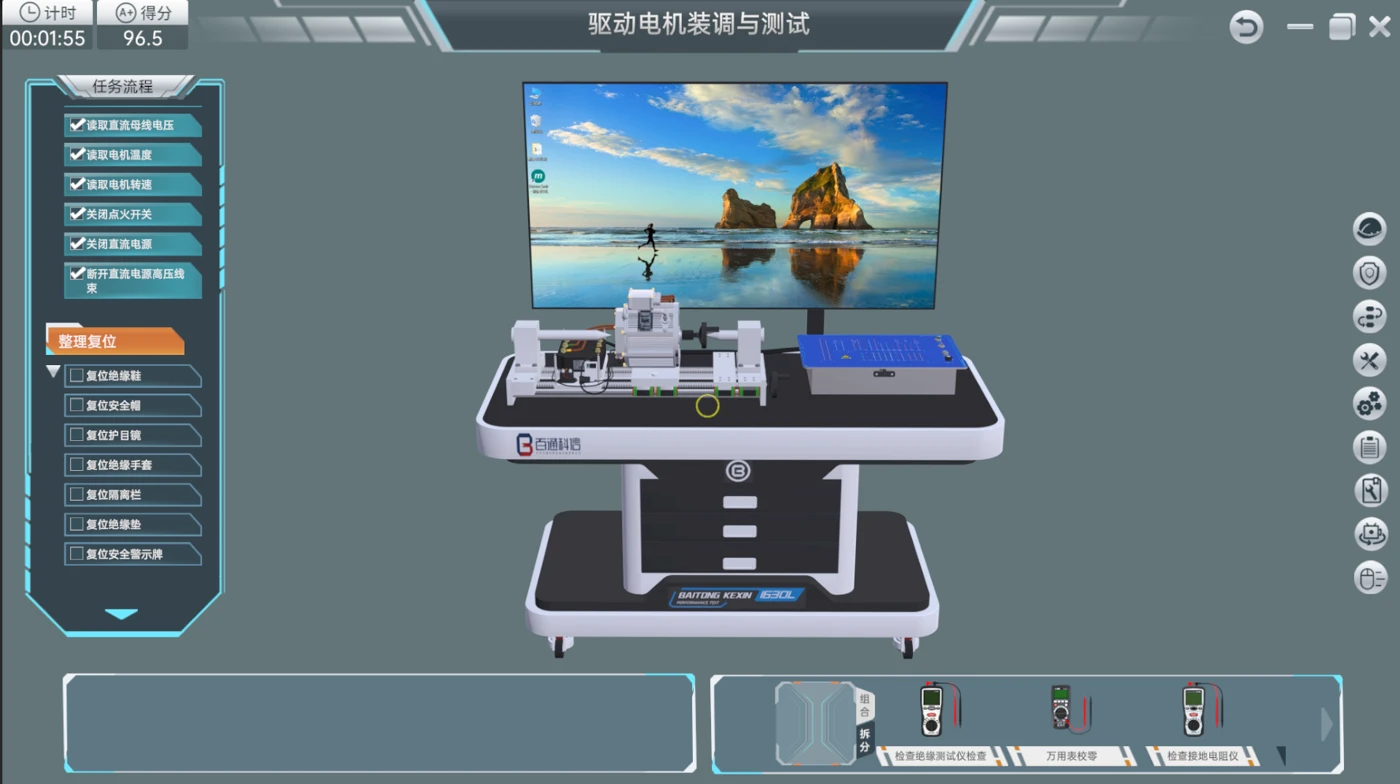
Electric Motor Assembly and Diagnosis Simulation Software
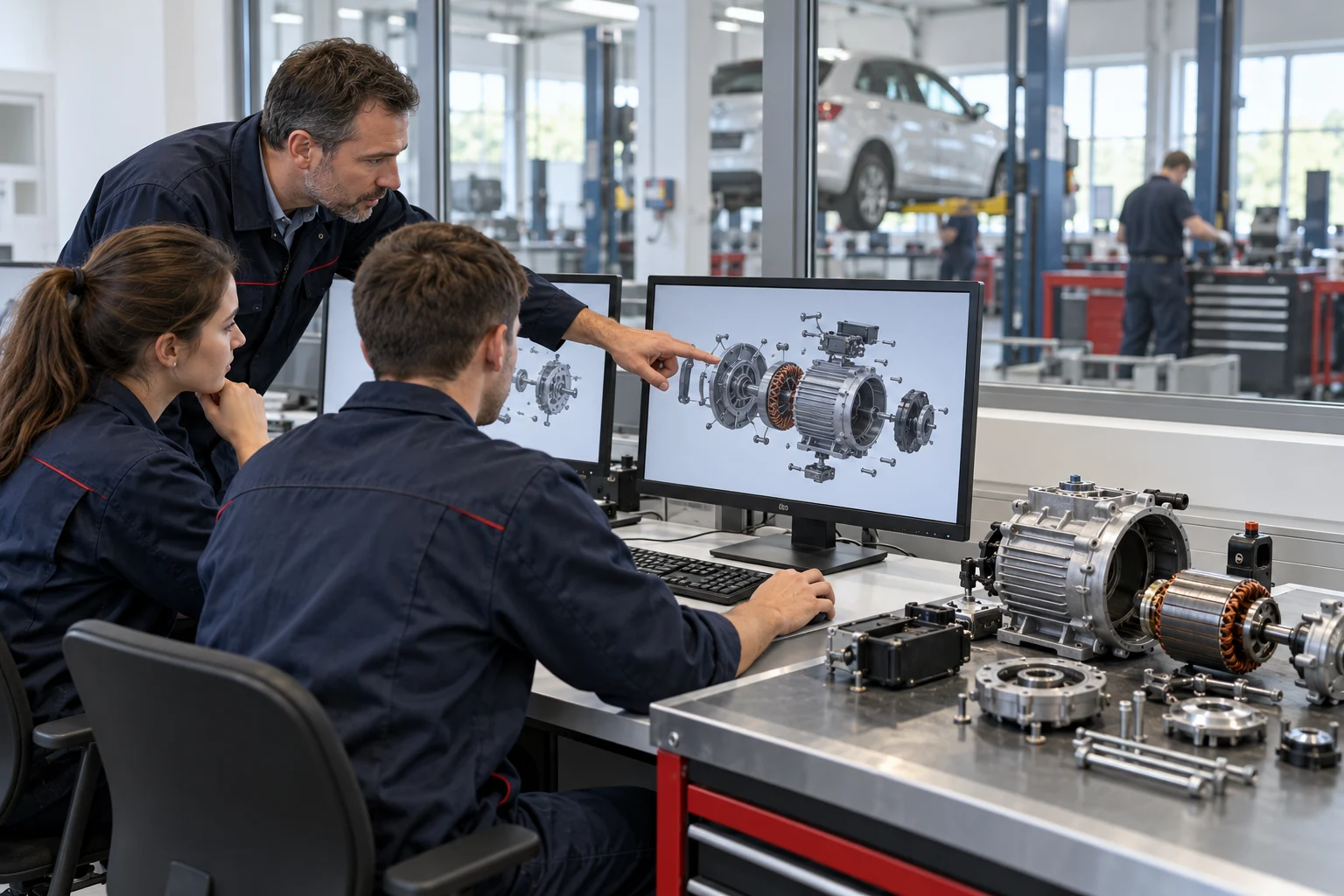
A digital preparation resource for the assembly sequence and diagnostic reasoning supported by the selected motor simulation title.
Teaching rolePrepare the represented components, task sequence and evidence record before the practical lesson.
View Equipment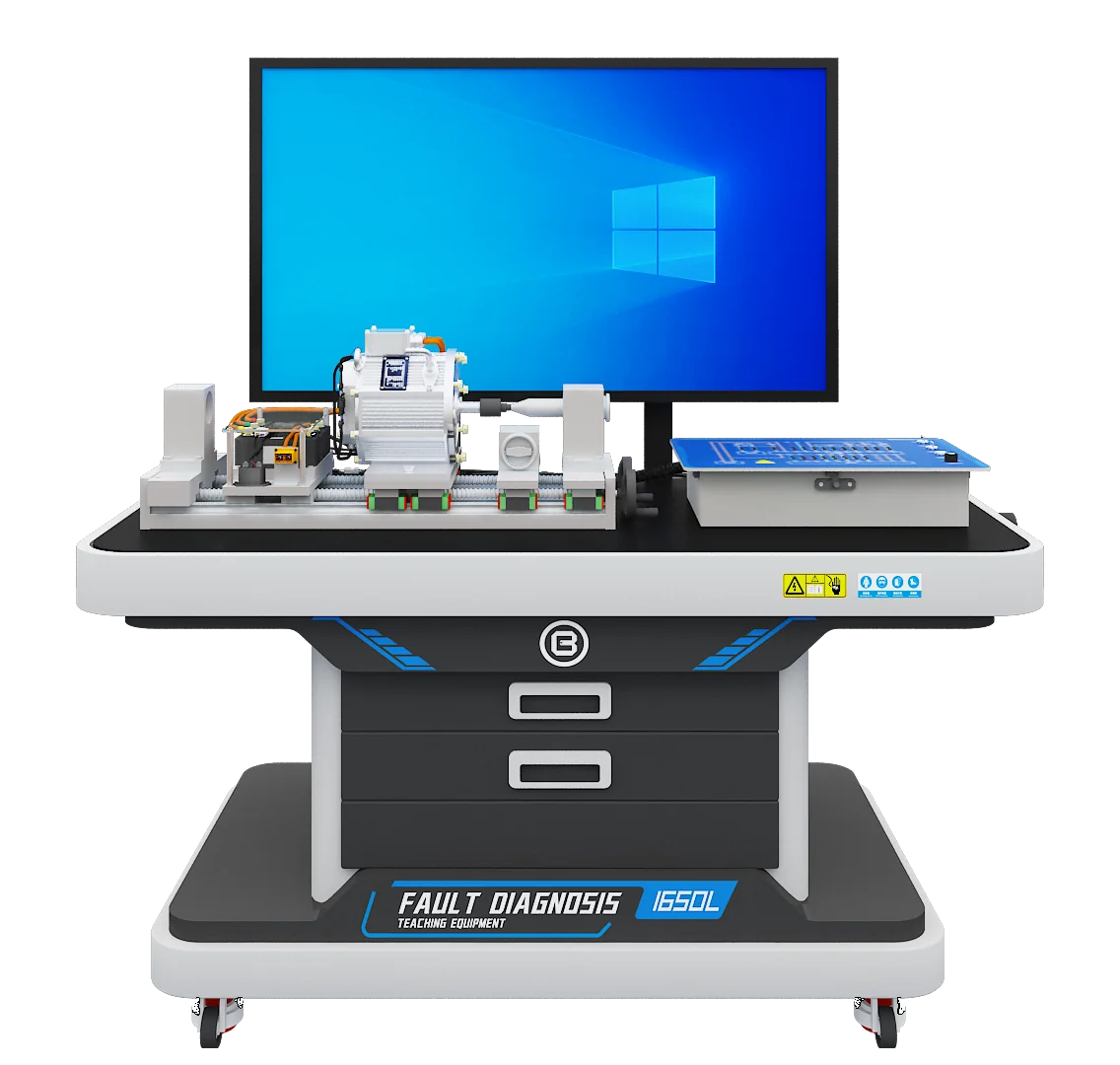
Drive Motor Assembly & Testing Training System
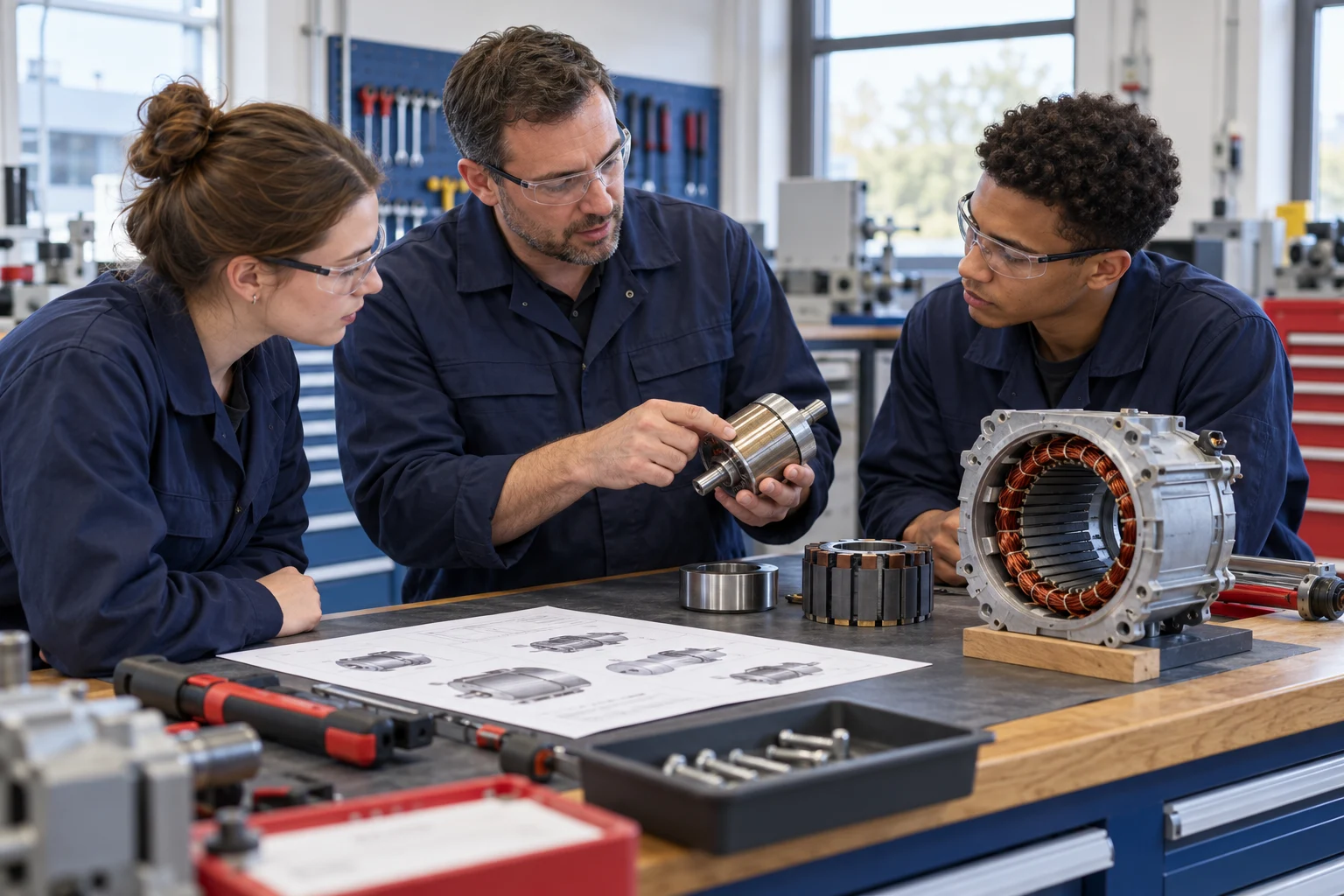
The physical motor station supports the separately supervised assembly, measurement and configured diagnostic work in this motor-focused learning route.
Teaching roleProvide physical-task evidence after virtual preparation. Connections and procedures follow the delivered configuration.
View EquipmentFor subject-specific equipment combinations, continue to the electric drive assembly and performance pathway, battery assembly and inspection pathway or charging systems diagnostic pathway. Each defines different physical evidence and equipment boundaries.
Make a task alignment matrix before buying software.
A useful mapping names the decision being prepared, not just the topic. “Motor training” is too broad to confirm that a software title supports the lesson a teacher intends to deliver. Review sample screens and actions against the actual equipment procedure.
| Learning need | Digital preparation | Physical evidence still required |
|---|---|---|
| Component recognition | Locate and explain components represented by the software. | Identify corresponding parts on the actual station and explain differences. |
| Assembly planning | Rehearse the supported sequence and review feedback. | Follow the approved physical procedure and document actual checks. |
| Diagnostic reasoning | Develop a hypothesis using the modeled circuit and fault. | Select permitted tests and explain observations from the configured physical circuit. |
| Assessment preparation | Review completion, timing or score information where supplied. | Provide individual practical observations and a justified explanation. |
The matrix also exposes gaps. If a virtual fault is unavailable on the delivered physical station, it can remain a separate reasoning exercise, but the course should not describe it as a reproduced physical fault. Conversely, a real inspection step may require a dedicated teacher demonstration if it is absent from the software.
Build resources that support transfer between environments.
Digital preparation guide
State the represented object, permitted actions, terminology and the preparation questions learners must answer before workshop entry.
Physical comparison sheet
Use actual equipment images and component references to show how the delivered station differs from the simulated model.
Practical observation record
Define the steps the teacher will observe, the learner’s role and the evidence needed to demonstrate an individual outcome.
Feedback and repeat-task guide
Connect a documented learning gap to a specific rehearsal, explanation or supervised physical task.
Teacher resources should explain why a software response is correct, which assumptions the model uses and where students must consult the physical procedure. A common terminology list helps when the teacher, interface and printed materials use different languages. Scope translated interfaces, translated documents and teacher delivery separately.
BTKX’s course development service provides a relevant framework for agreeing the course plan and resource package with the faculty. The project inventory should identify exactly which materials are supplied, editable or licensed for classroom use.
Sample task: compare a virtual plan with physical evidence.
What changed when the learner reached the station?
The learner first records a proposed assembly or inspection sequence from the selected simulation. After the instructor’s physical demonstration, the learner identifies one difference that affects the procedure and explains the evidence required to resolve it.
- Name the task. Record the software title, represented object, physical station and approved task reference.
- Capture the preparation. List the intended sequence and one uncertain point before opening the physical exercise.
- Observe the actual station. Identify the corresponding components and the differences demonstrated by the instructor.
- Complete the authorised activity. Retain the actual checklist and permitted measurement record where applicable.
- Explain the transfer. Describe which virtual preparation helped and which decision required physical evidence.
Use a portfolio with separate evidence sources.
A virtual score may reflect the rules of a modeled task, its timing or sequence. A teacher needs to know what that score measures before including it in assessment. Completion alone does not show whether the learner selected an instrument appropriately, recognised a physical difference or carried out the task without peer assistance.
| Evidence source | Useful question | Record to retain |
|---|---|---|
| Virtual preparation | Did the learner understand the represented task and explain the feedback? | Preparation response and available software record. |
| Transfer comparison | Can the learner identify a difference that changes a practical decision? | Annotated comparison sheet. |
| Physical performance | Did the learner perform the authorised task and record actual checks? | Individual teacher observation and task record. |
| Reasoned explanation | Does the conclusion follow from the evidence collected? | Short report or assessor questioning notes. |
Keep learner identity and task versions consistent across the portfolio. A group report can provide context, but each learner needs an identifiable contribution and an individually assessed outcome. If work is repeated after feedback, retain the revised record with enough context to explain the improvement rather than silently replacing the first attempt.
Plan the classroom and campus deployment together.
Start with the actual class timetable, computer inventory and physical station availability. A full computer class can complete preparation before rotating through a smaller number of workshop stations, provided the schedule reserves enough supervised practice time for the required individual evidence.
Confirm the selected title’s operating-system requirements, graphics capability, server and client arrangement, concurrent access, license administration and installation responsibilities. The standard software and custom-development scope may differ. A campus client/server product should not be described as browser-only software or unrestricted home access unless those rights and deployment methods are specifically supplied.
Establish how teachers create classes, retrieve records and handle a workstation interruption. Retain deployment instructions and the support contact in the handover pack. Agree the retention and export requirements for assessment records with the institution; an available report screen is not automatically an agreed integration with its learning-management system.
For VR, AR or XR options, review the learning activity that benefits from spatial interaction, the compatible hardware, the available licensed content and the practical arrangements for sharing devices. A technology format should be chosen because it helps the lesson, not because every digital classroom needs the same hardware.
Deliver a matched lesson, not just a software installation.
Agree the represented task
Faculty and the project team identify the vehicle or component, supported actions, fault logic and intended physical follow-up.
Deliverable: task alignment matrix and course requirements.Review the working resource
Teachers inspect the actual software title or development milestone and check whether its actions support the proposed lesson.
Deliverable: faculty review comments and agreed scope.Configure deployment and resources
Confirm clients, server, licenses, user arrangements, resource versions and the physical-equipment comparison materials.
Deliverable: installation schedule and resource inventory.Prepare teachers through a complete lesson
Run the preparation, demonstration, physical task and assessment review with the teachers who will deliver the programme.
Deliverable: familiarisation record and lesson feedback.Accept the agreed functions and hand over
Check the specified tasks, record retrieval, supplied documents and support arrangements against the acceptance schedule.
Deliverable: acceptance record, licenses and support documentation.
Explore software development for your teaching tasks.
The Guangdong Corolla diagnosis project records software for Corolla ZRE151/152/153, including 19 open-circuit faults, score statistics and repair-manual retrieval. Confirm the vehicle model, fault set and teaching tools for the software you select.
The Jilin Communications Polytechnic charging software project documents AC/DC teaching-software development completed in September 2023 and two jointly registered software copyrights. For a joint development project, agree the software deliverables, ownership and registration arrangements with your institution.
For a new institution, review the current software title and available task demonstration. If custom development is needed, define deliverables, review points, acceptance tests and resource rights in the project documents. Specify your software title, physical stations and acceptance tasks so the delivery fits your programme.
Adapt the teaching language, assessment and ownership arrangements.
Map the learning outcomes to the institution’s current curriculum before introducing local qualification or competency claims. A simulation can support a course without itself conferring a qualification. The school determines how digital preparation and physical observations contribute to its approved assessment.
Review interface language, spoken guidance, printed terminology, subtitles and teacher instruction as separate requirements. Test important technical terms in context with the faculty. If the selected software retains a language different from the classroom language, define the teaching materials and teacher support needed to avoid misunderstandings during the task.
For jointly developed resources, agree ownership, editing rights, translation rights, deployment permissions and any copyright registration deliverables. Those arrangements are specific to the contract. The final handover should let a teacher identify which version of the software, worksheet and physical procedure belongs to the lesson being taught.
Questions Before You Configure the Pathway.
Is desktop simulation enough to demonstrate practical competence?
It can provide preparation and reasoning evidence. Physical assembly, measurement and diagnostic outcomes still require the individual observations specified by the institution’s practical assessment plan.
Is the software automatically connected to the physical training station?
No automatic connection is assumed. The route links learning objectives. Any shared controls, data interface or transfer of assessment records needs a verified technical and licensing scope.
Does every classroom need VR equipment?
No. Campus desktop delivery is a relevant starting format. VR, AR or XR should be selected only when the supported lesson benefits from that format and compatible hardware and content are agreed.
Can the pathway use our existing physical equipment?
Yes. Review the station’s task scope and procedure alongside the represented software object. Document differences and identify which learning outcomes can actually be assessed on your equipment.
Can teachers use the software score as the final practical grade?
First establish what the score measures. The faculty should define how digital records, physical observations and individual explanations contribute to the final assessment.
Are translated interfaces and learning resources included?
They must be confirmed for the selected title and project. Interface text, narration, printed materials and instructor delivery can have different language scopes.
Explore Further
Equipment, Services & Project Details.
Explore product specifications, teaching support and project examples to help plan the equipment and course resources for your institution.