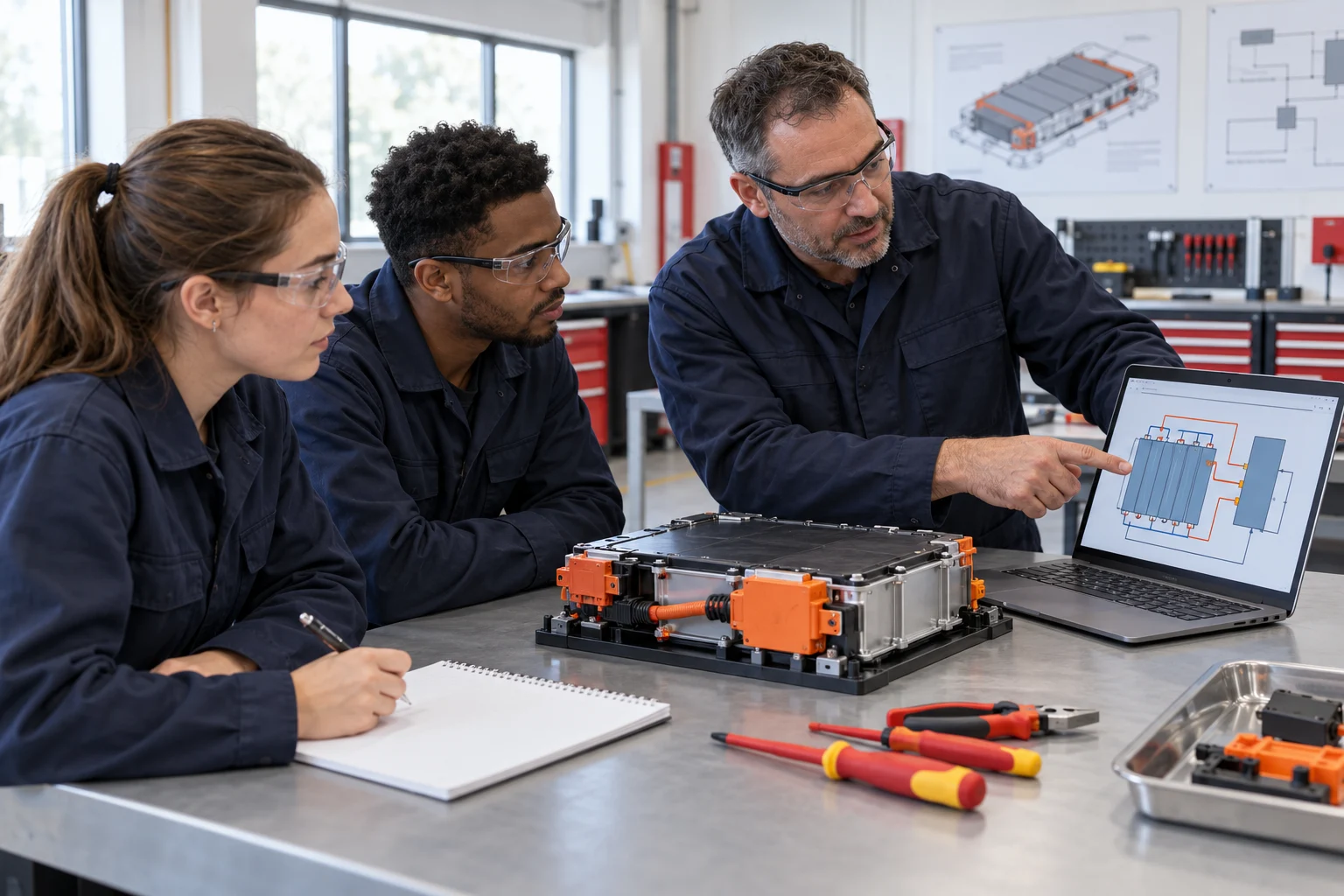

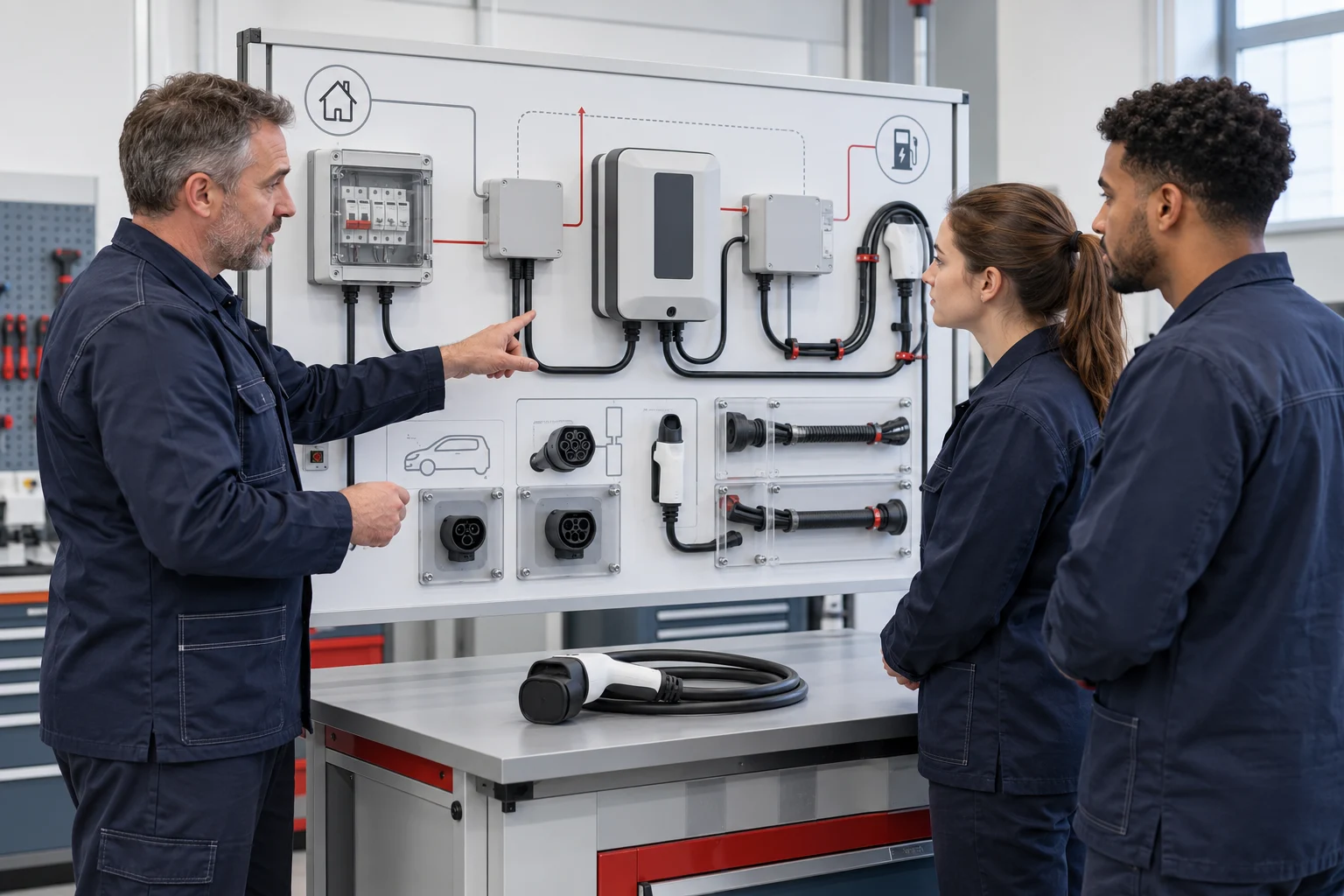
Teach why an AC charging sequence starts, stops or refuses to begin.
A useful charging course connects component inspection with control-state evidence. Students should explain the observed response rather than only recognise a charging connector or repeat a fault code.
This pathway is for vocational automotive programmes, technical colleges and charging-related technician courses. It brings together AC EVSE component assembly, wiring checks, configured CC/CP circuit interpretation, permitted protection checks and a documented diagnostic conclusion.
The core physical resource is the BT-NEV2-T040 AC Charging Assembly & Testing Training System. The teaching charger is rated at ≤1.5 kW and ≤7 A. Its role is to make the supported components and circuits accessible for teaching; it is not a specification for a commercial charging installation. The lesson must match the connector, controller, test interface and software actually delivered.
Learners should enter with basic circuit-reading skills and supervised experience using the selected instruments. Faculty can add a preparatory module where those skills are missing. Adapt the six learning stages to your syllabus, selected charging interface and assessment requirements. Agree the practical hours, simulation tasks and instrument resources for your programme.
Define the capability behind each charging task.
Inspect the assembly
Identify the configured contactor, protection devices, control components, connector and wiring, then document the checks required before commissioning.
Explain the control sequence
Relate a permitted CC/CP observation to the expected state of the matched teaching configuration, using the actual circuit and interface information.
Investigate a charging symptom
Separate the observed failure to start or unexpected stop from a proposed cause, then select permitted evidence that can support or challenge the explanation.
Interpret protection evidence
Record the prescribed inspection or response check and compare the result with the ordered unit’s documented criteria.
These capabilities support an equipment-based practical course. The institution separately determines whether the course contributes to a recognised qualification or a locally regulated installation role.
A six-stage AC charging learning route.
Progress from component understanding to a reasoned diagnosis. A fault-setting exercise should have a defined symptom, permitted observations and a clear record of what the learner is expected to explain.
01Map the charging system and expected sequence
Identify the supplied interface before interpreting signals.
Learning activity
Use the actual T040 diagram to identify the power path, control functions, connector and protection components. Describe the expected sequence from the assigned connection condition to the permitted charging state. Identify the evidence available at each stage and the conditions the instructor must approve.
Teaching resource: T040 diagrams and optional BT-ACVR virtual preparation.
Evidence to retain
A system map and sequence explanation. The learner should identify which interface and controller version the explanation applies to rather than presenting one signal diagram as universal.
02Assemble and inspect the permitted components
Link the physical arrangement with its circuit function.
Learning activity
Carry out the configured assembly task and the specified wiring and component checks before commissioning. Identify the contactor, charging cable, connector, emergency stop and protection devices included in the ordered unit. Use the model-specific procedure to record the required inspection points.
Teaching resource: T040, selected tools and an assembly checklist.
Evidence to retain
A component and wiring inspection record, with any unresolved item referred to the instructor. Marking an item visually present is different from completing the electrical check required by the task.
03Record the baseline charging-control response
Establish an interpretable reference condition.
Learning activity
Observe the instructor-approved normal sequence on the configured setup. Record the relevant interface state, available circuit observations, displayed response and the conditions under which the record was taken. Identify what would count as evidence that the sequence reached the assigned stage.
Teaching resource: T040 and the approved vehicle interface or simulator, when included.
Evidence to retain
A baseline sequence sheet. A complete vehicle, external interface and associated infrastructure are separate scope items where the exercise requires them.
04Investigate a supported CC/CP or circuit condition
Compare the symptom with the expected state transition.
Learning activity
Use a supported instructor-selected fault, such as a documented CC, CP or related detection-circuit condition. Explain which part of the expected sequence is absent or inconsistent. Plan the permitted measurements and compare the findings with the baseline before reaching a conclusion.
Teaching resource: T040 fault box, circuit reference and specified instruments.
Evidence to retain
A diagnostic sheet separating the symptom, hypothesis, observation and verification. The diagnosis must follow the supplied pilot implementation rather than assumed values from another connector system.
05Verify the configured protection checks
Use measured or observed evidence and documented criteria.
Learning activity
Complete the approved earth, insulation or protection-response activity using the selected instruments and interface. Record the conditions and compare the result with the ordered unit’s procedure. Investigate an unexpected trip through the instructor’s process instead of repeatedly resetting the system.
Teaching resource: T040, suitable test instruments and any separately specified source, load or interface.
Evidence to retain
A protection-check record with the applicable criterion and instructor review. The laboratory protective earth remains connected; a documented teaching fault is created through the intended interface.
06Explain the diagnosis and demonstrate the task individually
Convert a shared exercise into individual evidence.
Learning activity
Combine the inspection record, baseline, fault investigation and protection evidence. Each learner explains where the actual response differs from the expected sequence and which observation supports the conclusion. Review any verification or repeat task required by the assessment plan.
Teaching resource: practical portfolio and the institution’s rubric.
Evidence to retain
A named diagnostic report and assessor feedback. A virtual score or a group’s successful charging demonstration does not show who can inspect, measure and explain the system independently.
Combine the physical task, preparation and measurement roles.
The T040 is the physical assembly and diagnostic station. BT-ACVR can prepare the task sequence in a virtual environment. The instrument set supports selected measurement exercises when its exact models and accessories match the teaching circuits.
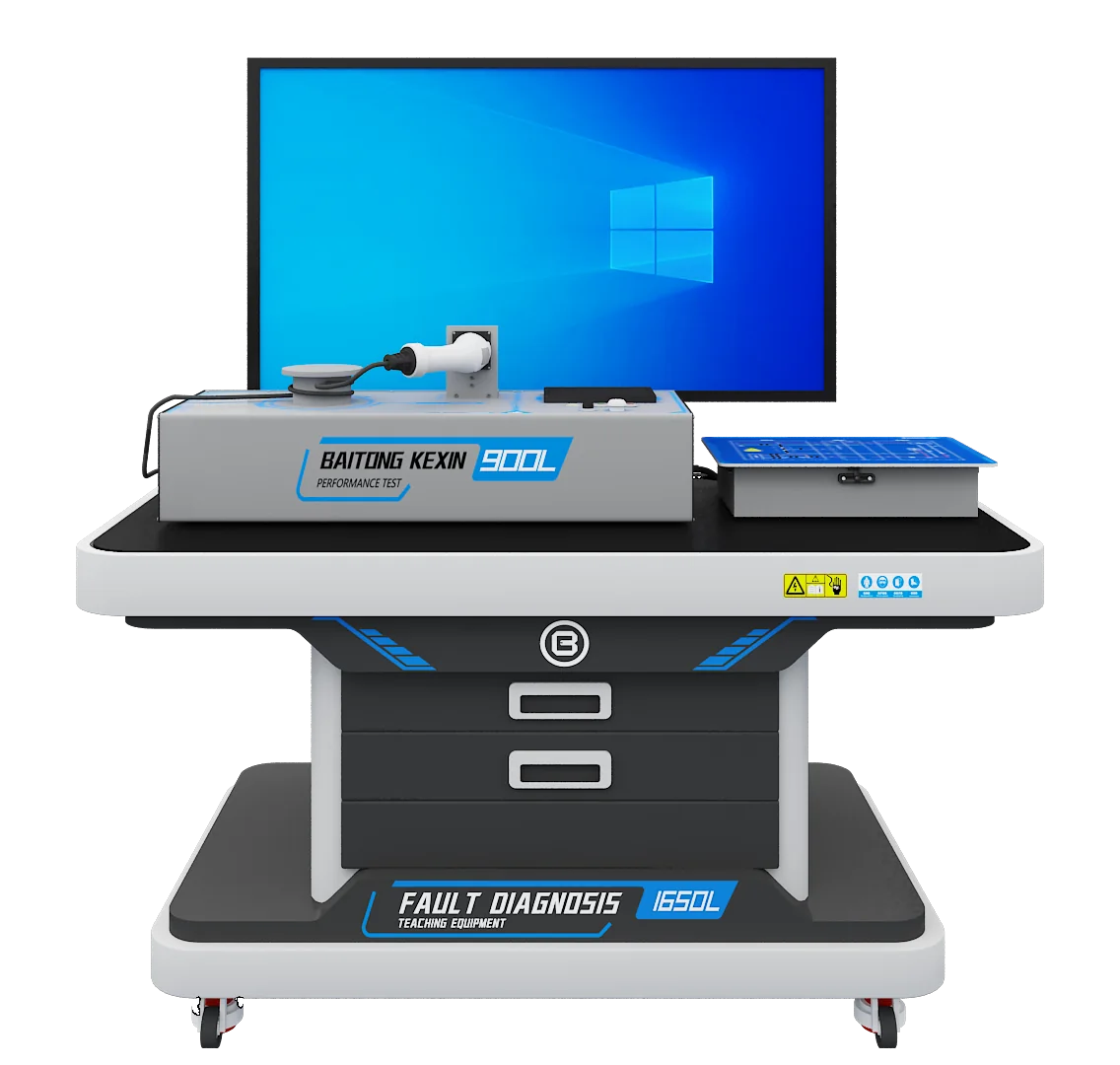
AC Charging Assembly & Testing Training System
An AC charging teaching station for component assembly, wiring checks, protection inspection and guided circuit diagnosis.
Teaching roleCore physical station for the six-stage learning route; tasks match the supplied interface and ≤1.5 kW/≤7 A charging unit.
View Equipment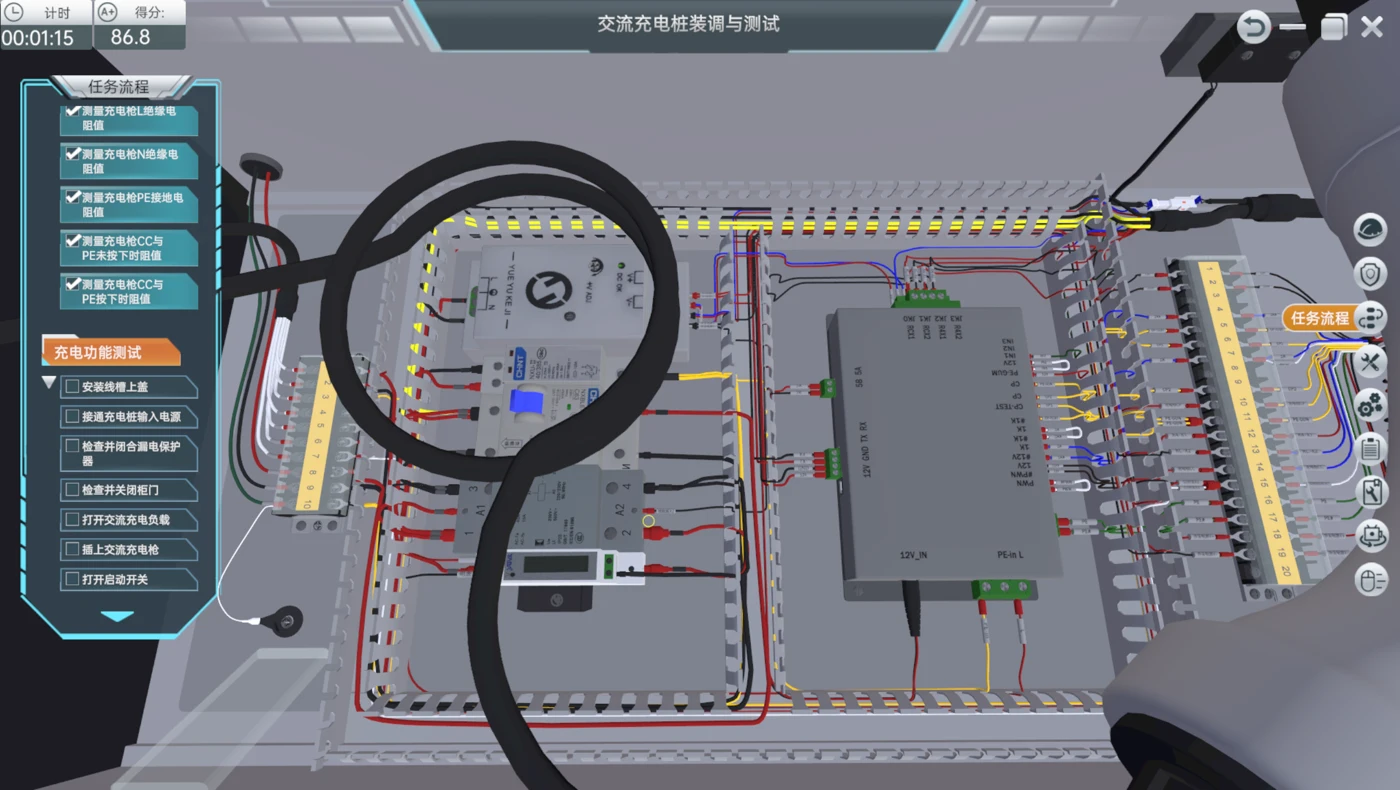
AC Charging Assembly and Diagnosis Simulation Software
Client/server desktop simulation for configured assembly, control-pilot investigation and functional checks.
Teaching roleOptional virtual preparation and task evidence before separately supervised physical work; license and language are agreed.
View Equipment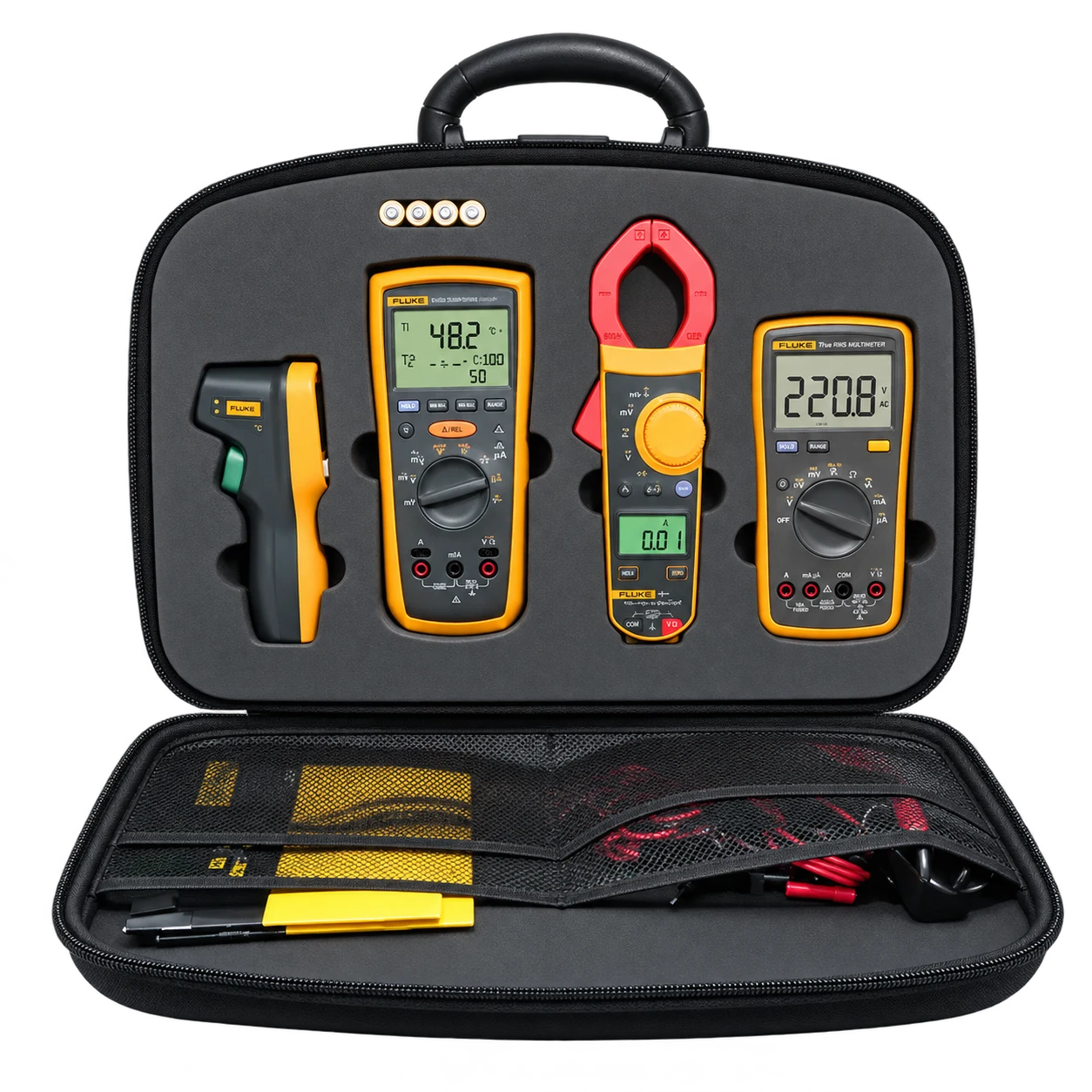
EV Electrical Test Instrument Set
An instrument set combining insulation-resistance, earth-resistance and multimeter functions.
Teaching roleMeasurement resource selected by task, with exact instruments, leads, categories, accessories and calibration scope specified.
View EquipmentSoftware licenses, host computers, external vehicles and installation items are specified separately. A subject match between products does not imply automatic hardware control or data integration.
Read subsystem ranges in the context of the whole setup.
A charging course can teach useful engineering judgement by asking which component limits the planned exercise. An adjustable source or load does not increase the rating of the teaching charger, its cable or its protection devices.
| Equipment or subsystem | Configuration | Meaning for course planning |
|---|---|---|
| T040 teaching charger | ≤1.5 kW and ≤7 A. | Planned operation stays within the confirmed limits of the complete setup. |
| Control-board input | 12 V DC. | This describes the named board, not the complete workstation’s mains requirements. |
| Optional T083 source/load setup | The application lists a programmable source and a load with a wider adjustment range. | A load range extending to 40 A does not permit a ≤7 A charger to be operated at 40 A. |
| Interface simulator | R2/R3 adjustment is described for the selected teaching exercises. | Confirm the connector, pilot implementation and approved combinations before defining a task. |
The optional T083 functions can support a more extensive testing curriculum when included. They are not assumed to be part of a standard T040 order. Request a matched configuration and permitted exercise schedule for any source, load and interface combination.
Map the charging units to student evidence.
The course map should identify how the teacher will distinguish understanding from successful imitation. Build in an explanation at each transition, especially where a control state authorises or prevents the next action.
| Learning unit | Resource role | Evidence produced |
|---|---|---|
| Components and assembly | T040 and model-specific inspection sheet. | Component map and documented wiring checks. |
| Normal control sequence | T040 with the confirmed interface or simulator. | State-by-state baseline with conditions. |
| Guided diagnosis | T040 supported circuit fault and suitable instruments. | Symptom, test plan, observations and conclusion. |
| Protection interpretation | Specified instruments and approved teaching setup. | Check record compared with the applicable unit criteria. |
| Virtual preparation | Selected BT-ACVR modules and teacher review. | Virtual task record and a separate physical assessment plan. |
A sample task: explain a charging no-start condition.
Locate the missing transition using the available evidence.
This illustrative task uses an instructor-selected condition supported by the ordered teaching system. It supplies a recording method, not a prescribed fault setting, live wiring change or universal pilot threshold.
- Define the reference. Identify the controller, connector, procedure revision and expected sequence for the assigned setup.
- Describe the symptom. Record what the system actually does and where it differs from the approved baseline.
- Plan the observations. Identify the permitted points, instrument and displayed information that could distinguish the proposed explanations.
- Record the findings. Retain actual values, states, conditions and the relevant screenshot or measurement reference.
- Justify the conclusion. Explain which observation supports the diagnosis and what verification remains necessary.
Assessment focus: the relationship between the observed state, circuit evidence and conclusion. No measured data or preset answer is supplied by this template.
Open Printable Task SheetObserve inspection, instrument use and diagnostic reasoning.
Assess practical performance directly. Use a short oral explanation to check that the learner understands the evidence rather than reproducing another group member’s conclusion. The institution sets the assessment weighting, permitted assistance and pass criteria.
| Assessment area | What to observe | Record retained |
|---|---|---|
| Inspection | Required checks completed against the applicable procedure. | Signed component and wiring checklist. |
| Control interpretation | The expected and observed sequence are distinguished correctly. | Baseline and condition record. |
| Measurement quality | Instrument and observations match the approved task. | Values or states with units, conditions and method. |
| Fault reasoning | The conclusion follows from the evidence. | Diagnostic report and verification. |
| Individual understanding | The learner can explain the relevant state transition. | Assessor questions and feedback. |
Keep different electrical checks distinct.
Protective-conductor continuity, an earthing measurement, an insulation test and a control-signal observation are different tasks. A visual cable inspection is valuable, but it does not replace a measurement required by the procedure. The learner should be able to name the purpose of the check before selecting the instrument.
The BT-NEV-TDR set lists insulation, earth-resistance and multimeter functions. Procurement should specify the actual instrument models, measurement categories, terminal limits, lead ratings, calibration scope and accessories for the intended circuits. A range printed on an instrument does not establish its suitability for every task or its continuous-current capability.
Use these decisions as assessable work. Ask students to record why the chosen instrument and method are suitable, then review the result in context. Avoid teaching a protection threshold as an isolated number detached from the supplied charging unit and the applicable test method.
Build resources that connect the charging states.
Sequence and diagram pack
Versioned circuit information, component maps and the expected sequence for the selected controller and interface.
Student practical records
Assembly checks, baseline states, measurement sheets and a structured diagnostic report.
Instructor task guidance
The supported fault list, permitted observations, demonstration conditions and criteria for reviewing an explanation.
Virtual preparation
Selected BT-ACVR tasks, accounts and result-review arrangements matched to the physical lesson.
BT-ACVR is client/server desktop software with demonstration, teaching and assessment modes. Narration is Mandarin Chinese; agree any localisation requirements for your programme. Confirm host computers, licenses, modules, result export and translated media separately through course development and simulation services.
Allocate time for inspection and explanation, not only operation.
Define the number of active learners at each station and the teacher’s observation requirements. A useful rotation can combine virtual preparation, supervised assembly or diagnosis, and a separate evidence-review task. Each learner needs a named explanation even when the practical setup is shared.
Plan working access, instrument storage, display visibility, electrical services and instructor supervision around the confirmed configuration. Identify separately any external vehicle, interface, simulator, programmable source or load required by the exercises. The equipment schedule should make clear who supplies and commissions each item.
For a phased laboratory, begin with component inspection, assembly and supported diagnosis. Add the agreed testing functions when the course and site are ready for them. More adjustment range is useful only when it answers a defined teaching question and the complete setup supports the exercise.
Deliver the pathway through a traceable project scope.
Define the course and destination interface
Review learner entry skills, charging tasks, local curriculum requirements and the connector and control implementation required.
Output: course outcomes and interface requirements.Match equipment, instruments and site
Specify the T040 configuration, optional resources, external items, utilities and installation responsibilities.
Output: equipment schedule and site preparation list.Review the teaching and assessment pack
Match each task to the actual diagram, supported fault, permitted observation and applicable criterion.
Output: reviewed lesson sequence and student records.Commission and prepare the teachers
Demonstrate the agreed control sequence and exercises, then practise the evidence and assessment process with faculty.
Output: commissioning and teacher familiarisation records.Accept the configuration and hand over support
Check documents, equipment functions, resource access, outstanding items and revision control against the agreed scope.
Output: acceptance and support handover.
Adapt the charging interface as well as the language.
Destination requirements can affect the connector, pilot implementation, supply conditions and relevant installation framework. Provide the named standard and version for review. Changing a connector alone does not establish that the control behaviour, documentation or course aligns with another market’s requirements.
Map the agreed tasks to the institution’s syllabus and any cited local competency criteria. Clarify who approves the curriculum and assesses practical competence. Translate the circuit terminology and task instructions consistently, with separate confirmation of software interface, narration and teacher training language.
The battery assembly and BMS pathway connects charging observations with a different set of pack-level learning questions. The automotive electrical diagnosis pathway develops broader measurement and circuit reasoning, while virtual-to-practical training helps structure preparation and evidence transfer.
Custom software for charging lessons.
The Jilin Communications Polytechnic charging software project developed separate AC and DC teaching software. It offers an example of adapting digital resources to an institution’s charging lessons.
For your programme, select the software modules to match the physical tasks, charger and interface. Agree the modules, language, resource rights and delivery scope separately from the hardware package.
Explore charging infrastructure training for further practical tasks and equipment options, lab planning for installation coordination and teacher training for faculty preparation.
Questions Before You Configure the Pathway.
Is T040 a commercial fast-charging installation?
No. The current product is an AC charging teaching system with a listed charging unit of ≤1.5 kW and ≤7 A. It supports configured assembly, circuit checks and diagnosis. Commercial DC charging production, grid connection and operator systems are different scopes.
Does the 12 V control-board input describe the workstation supply?
No. It describes the named control board. The complete station, display and any external equipment have their own electrical requirements, which must be confirmed for the destination and ordered configuration.
Can a wider-range load be used at its maximum with the teaching charger?
Not on that basis. The optional load subsystem has an adjustment range extending to 40 A, while the teaching charger is specified at ≤7 A. Every exercise must remain within the confirmed limits of all connected equipment and the approved procedure.
Does the package include a complete vehicle or external charging interface?
T040 is an AC charging teaching workstation. Any vehicle, interface simulator, source, load or installation infrastructure needed for a particular exercise must be identified separately in the quotation.
Can BT-ACVR scores establish practical wiring competence?
The software records configured virtual actions and can support preparation and review. Physical wiring, instrument use and inspection require separately observed practical assessment on the appropriate equipment.
How should the pathway be adapted for an overseas programme?
Provide the syllabus, intended tasks, applicable standard and version, connector, control requirements, supply conditions and teaching language. Hardware, simulation, documents and teacher preparation should be reviewed together before making an alignment claim.
Explore Further
Equipment, Services & Project Details.
Explore product specifications, teaching support and project examples to help plan the equipment and course resources for your institution.